
How to Register for Your CAIE Exams (Private Candidate Guide)
If you’re planning to take your Cambridge International (CAIE) exams privately, the process can feel a bit overwhelming at first. But don't worry! I’ve put together this step-by-step guide to help you navigate the British Council registration portal smoothly. Just follow along, and you’ll have your registration done in no time.
Step 1: Visit the British Council Portal
Go To: https://schoolexams.britishcouncil.org
Step 2: Create Your Account
Once you click the registration link, the very first thing you’ll need to do is set up your account.
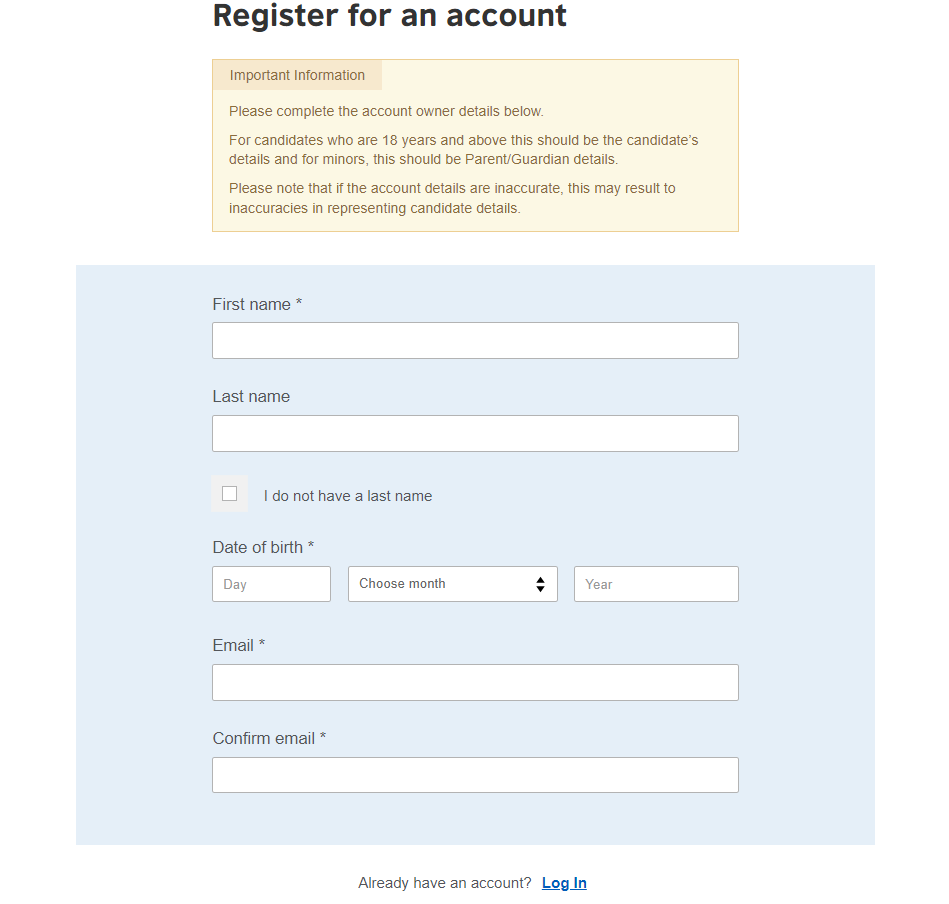
Enter your full legal name (as on CNIC/Passport/B-Form), date of birth, and a regularly checked email. Already registered before? Just log in.
Step 3: Activate Your Account and Log In
Check your email for an activation link from British Council. Click it to verify your account, then log in. Not received? Check spam or request a resend. Save your password you'll need it to download your Statement of Entry and check results.
Step 4: Selecting Your Location
After logging in, you’ll be greeted by the official British Council registration landing page.
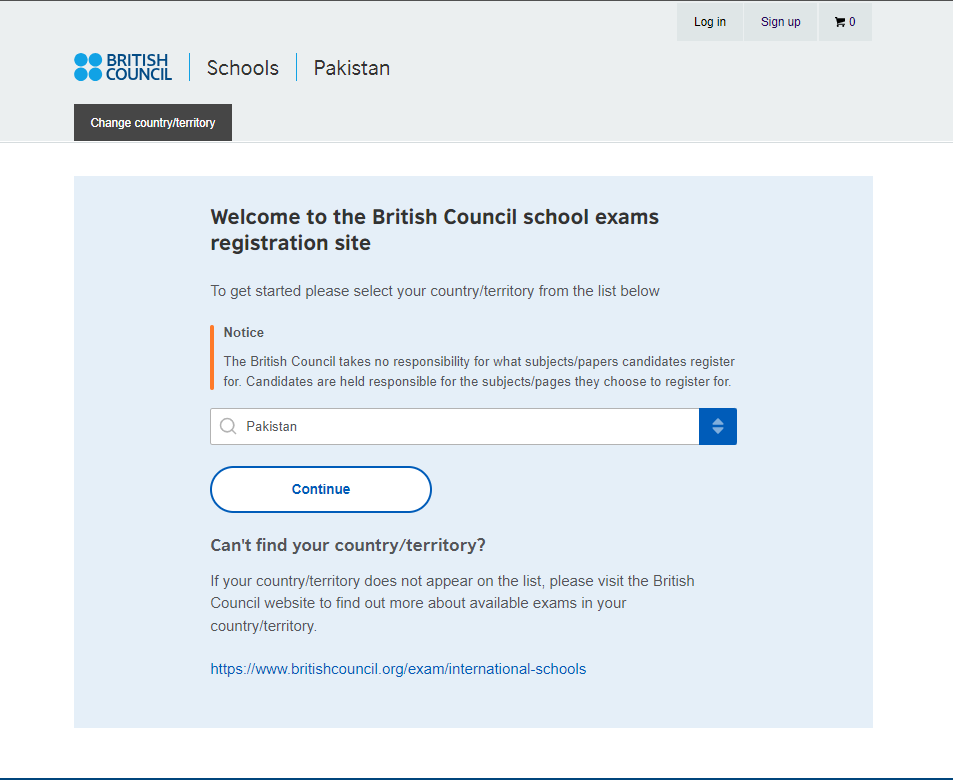
Choose Pakistan from the country list. Click Continue.
Step 5: Choosing Your Awarding Body
Once you’re logged in and have your profile ready, you’ll land on the "Search for exams" page.
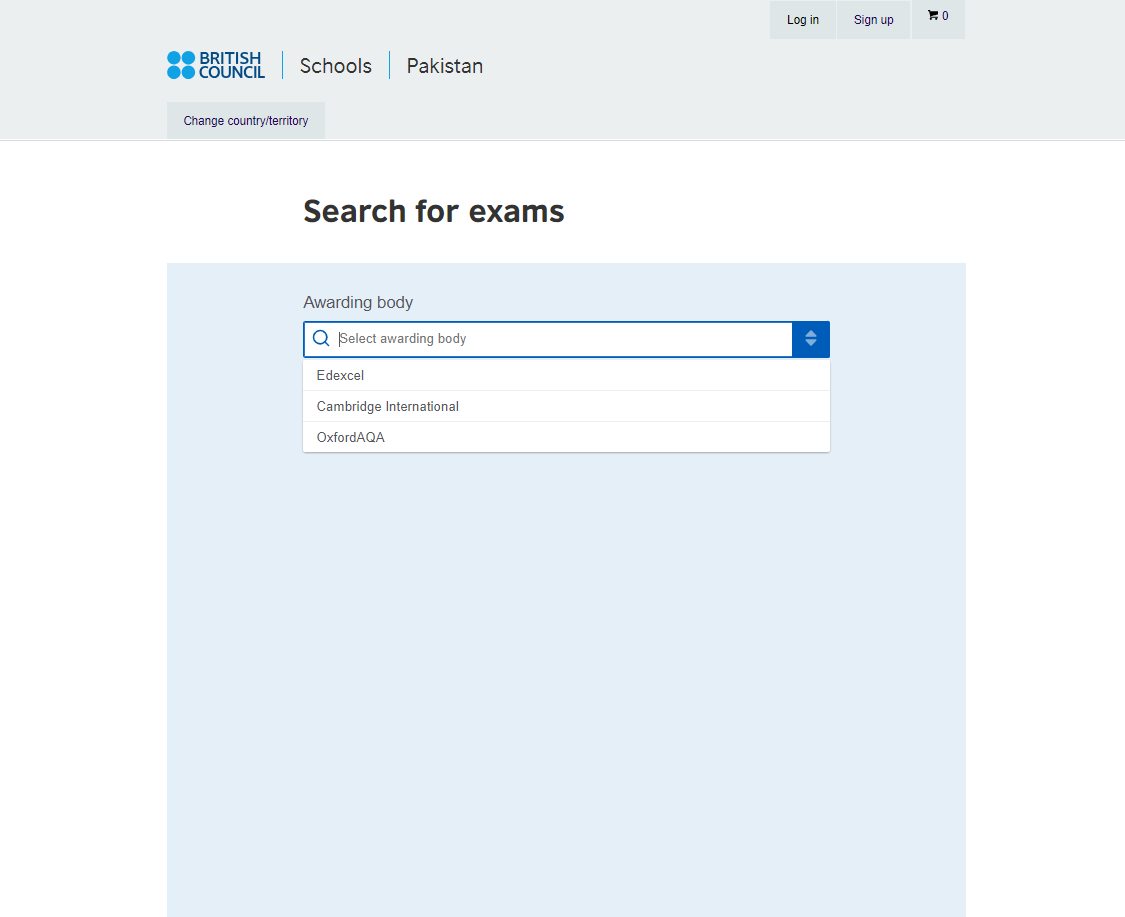
Select Cambridge International from the dropdown menu. Click Continue.
Step 6: Choosing Your Exam Session
Once you've selected "Cambridge International," a new dropdown menu will appear titled "Session."
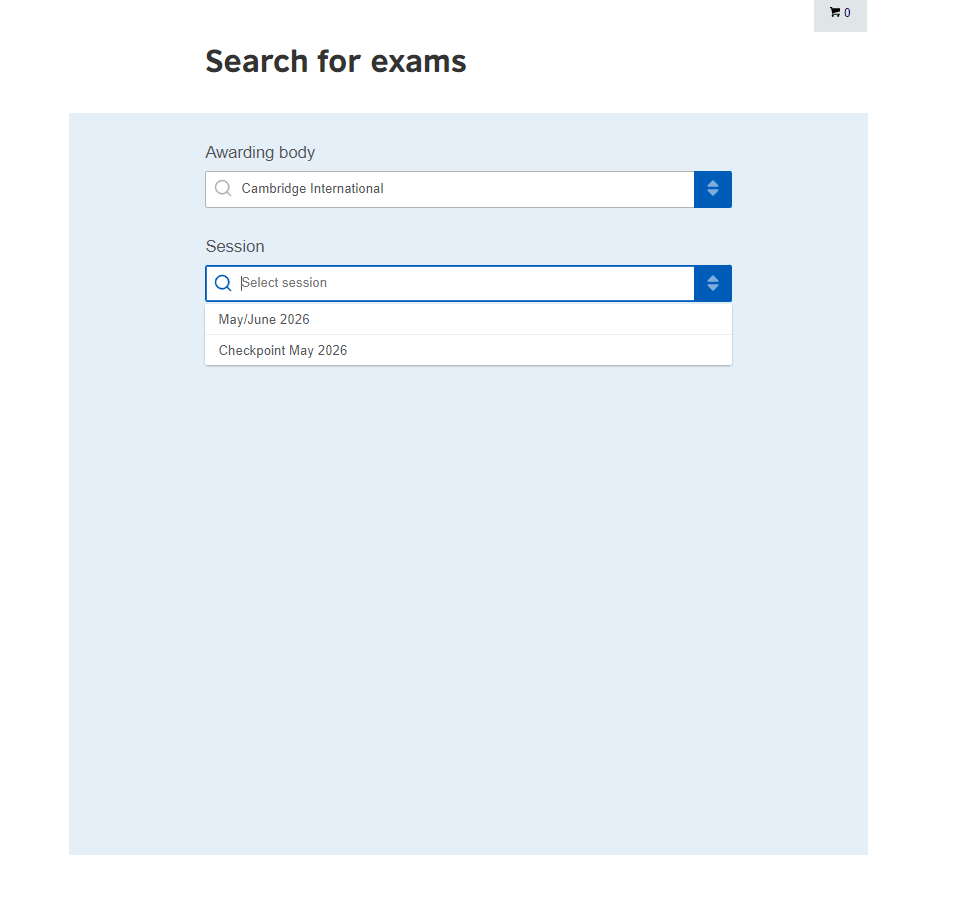
Choose your session, for example May/June 2026. Make sure the year and months match your study plan. If your session is not visible, registration may not be open yet or the deadline may have passed.
Step 7: Selecting Your Qualification Level
Once you’ve locked in the exam session (like May/June 2026), a new dropdown will appear called "Qualification level."
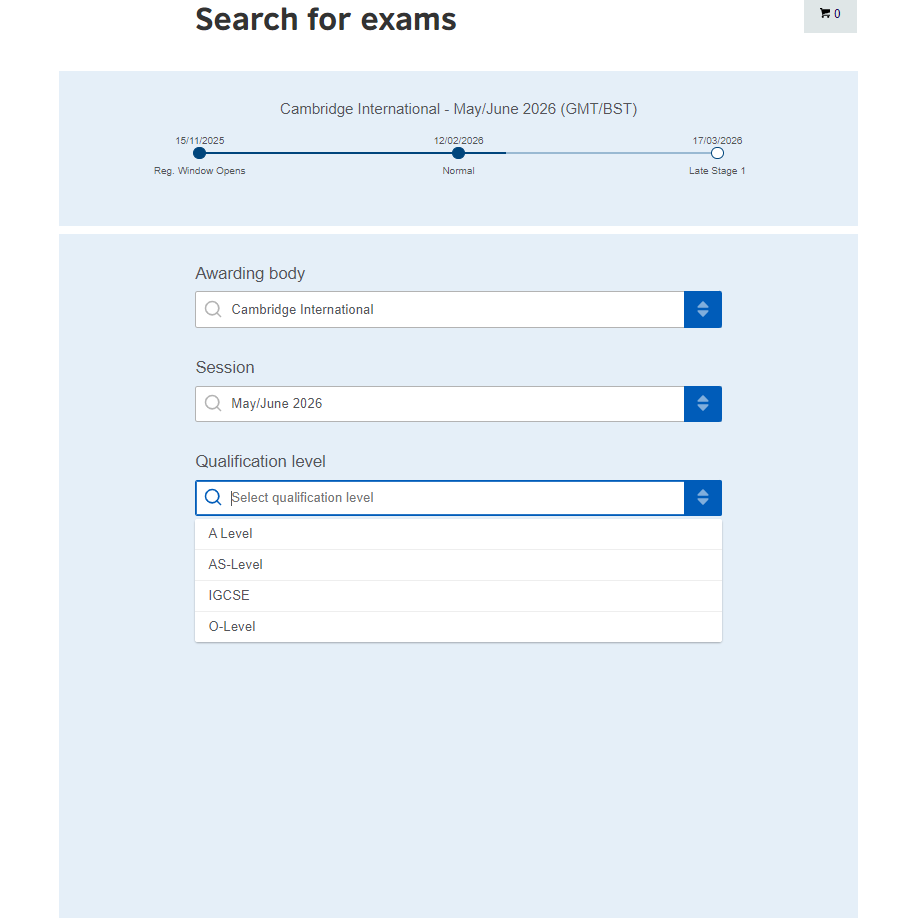
Choose your level: O Level/IGCSE (Grade 10/11), AS Level (first year A Levels), or A Level (full qualification). Check the blue progress bar at the top register during the Normal window to avoid late fees.
Step 8: Choosing Your Exam Location
Now that the system knows what you are taking, it needs to know where you’ll be taking it. A new dropdown called "Location" will appear.
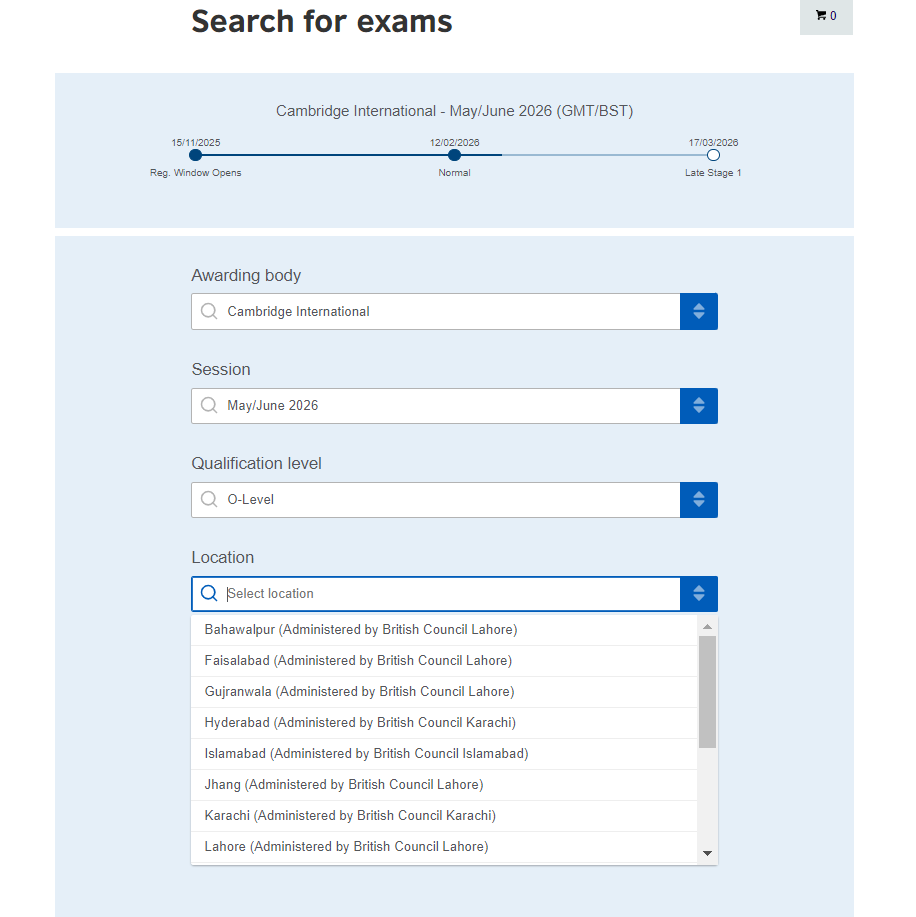
Select your city from the dropdown (Islamabad, Lahore, Karachi, Faisalabad, etc.)
Step 9: Selecting Your Subjects
Once you’ve set your location (like Lahore or Karachi), the final dropdown menu for "Subjects" will appear.
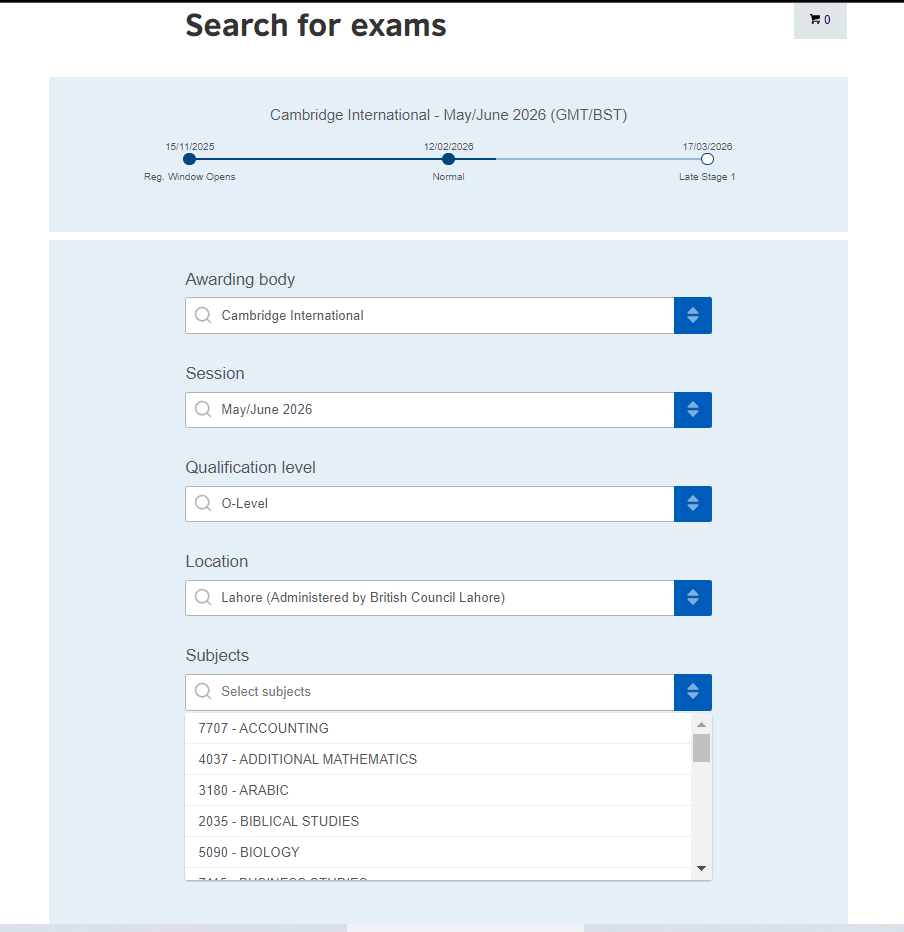
Search each subject and match the 4-digit syllabus code carefully. Add all subjects in one go, do not stop at one.
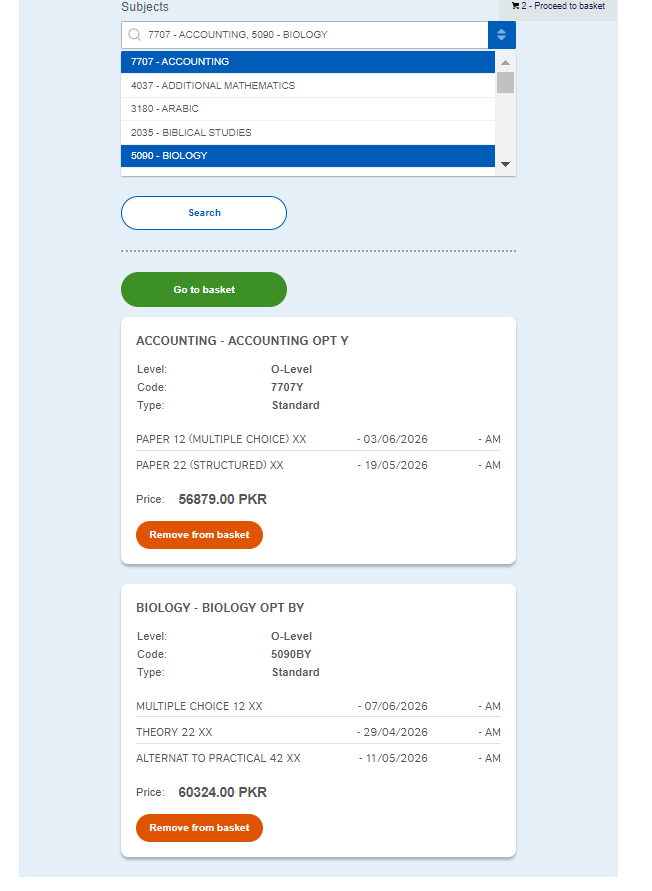
For some subjects, select the correct Option (Y, BY, etc.) based on your syllabus. Register during the Normal window to avoid higher fees.
Step 10: Review Your Exam Basket
Before you pull out your credit card, the system gives you one last look at your "shopping cart."
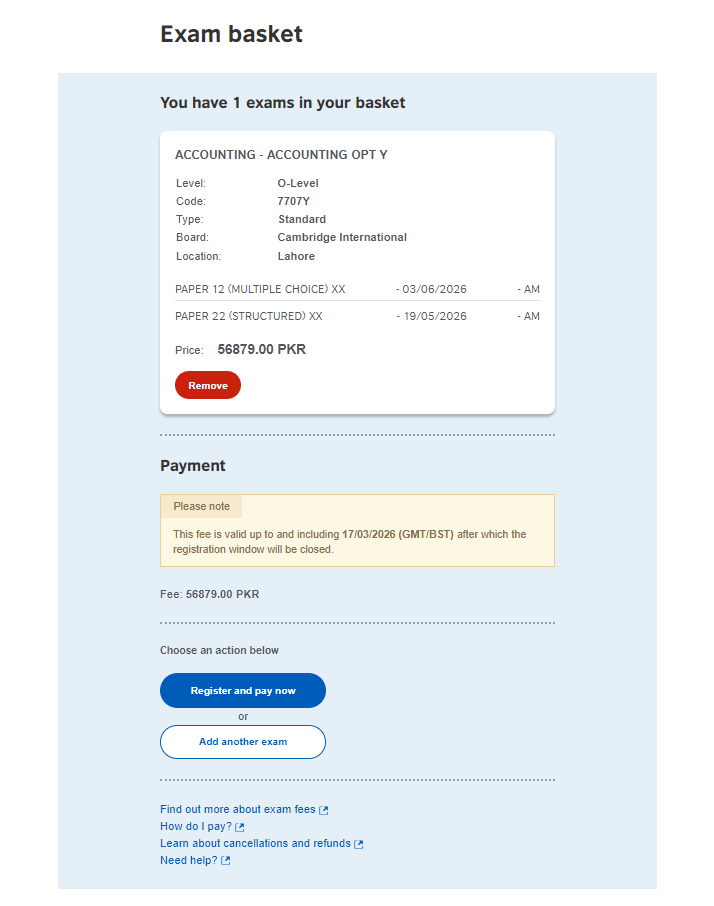
Step 11: Entering Candidate Details
Once you click "Register and pay now," you’ll be taken to the Candidate details form.
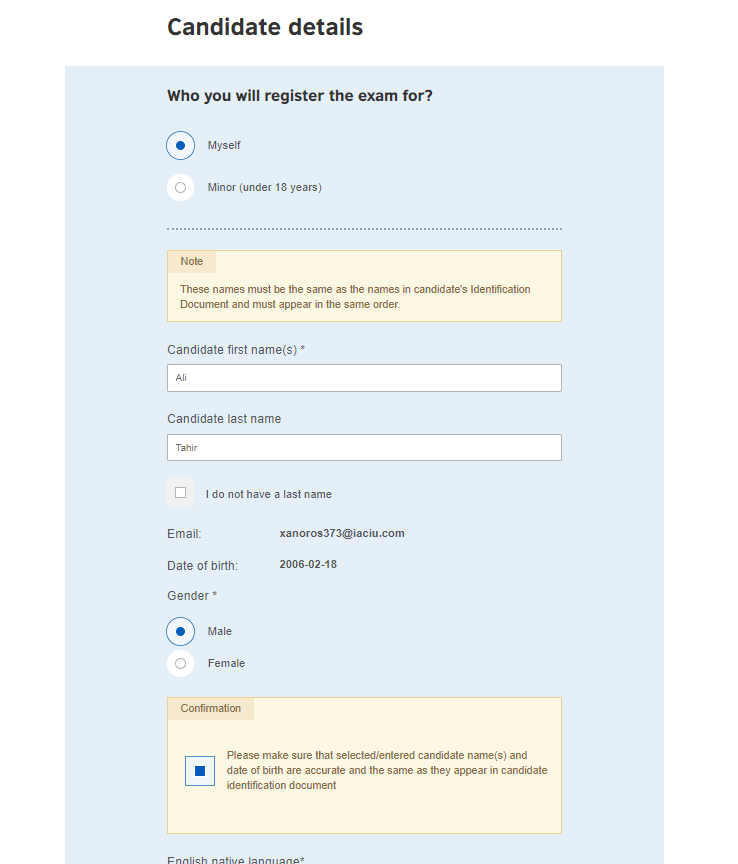
Enter your legal name exactly as on your ID.
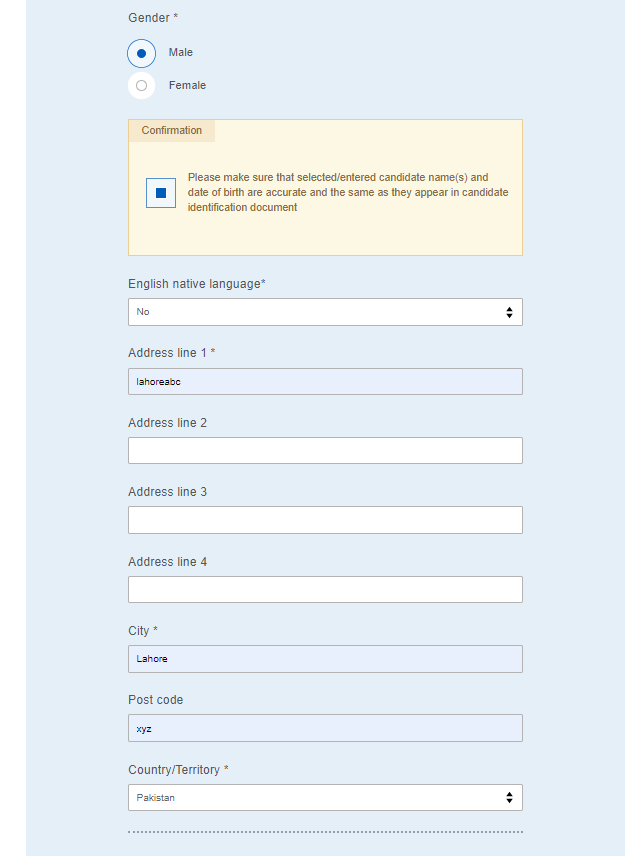
Contact & Address Information
Scroll down to complete your profile. This information is used for mailing your certificate and contacting you if there’s an emergency with your exam venue.
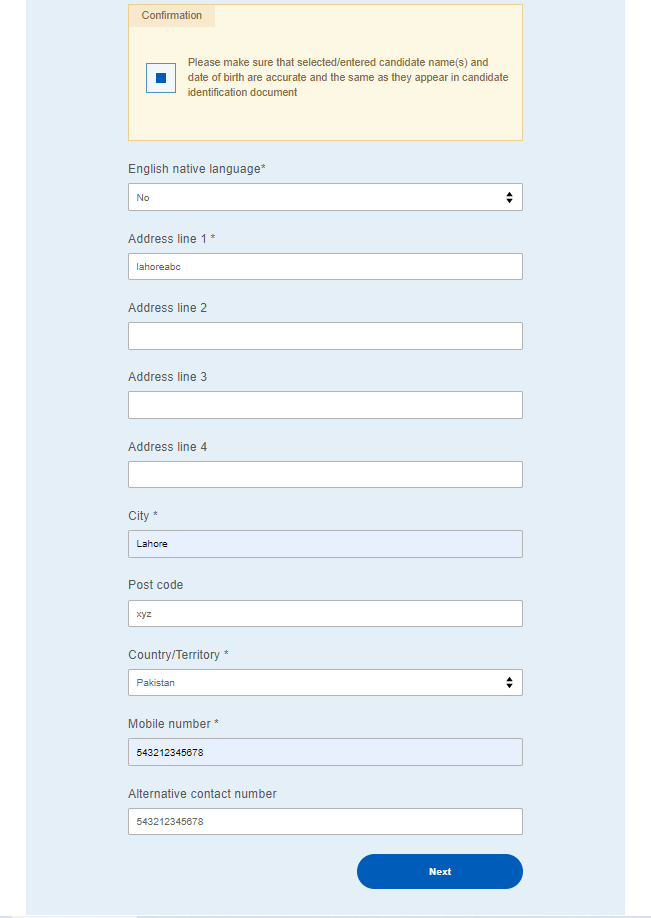
Fill in address, city, postal code, and mobile number.
Step 11: Registering as a Minor (Under 18)
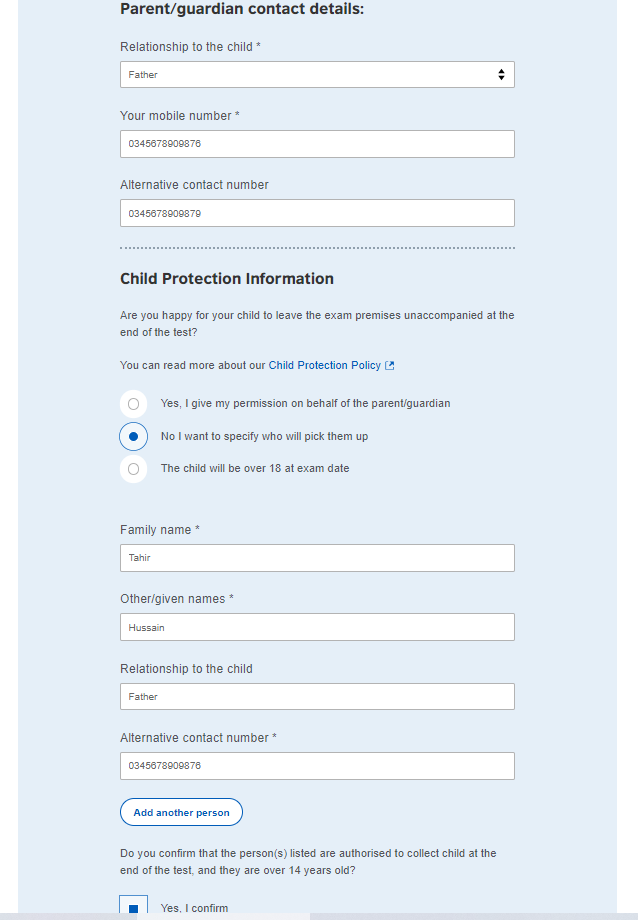
For students under 18, a parent completes guardian details, provides two contact numbers, and fills in child protection information including who will collect the student after the exam.
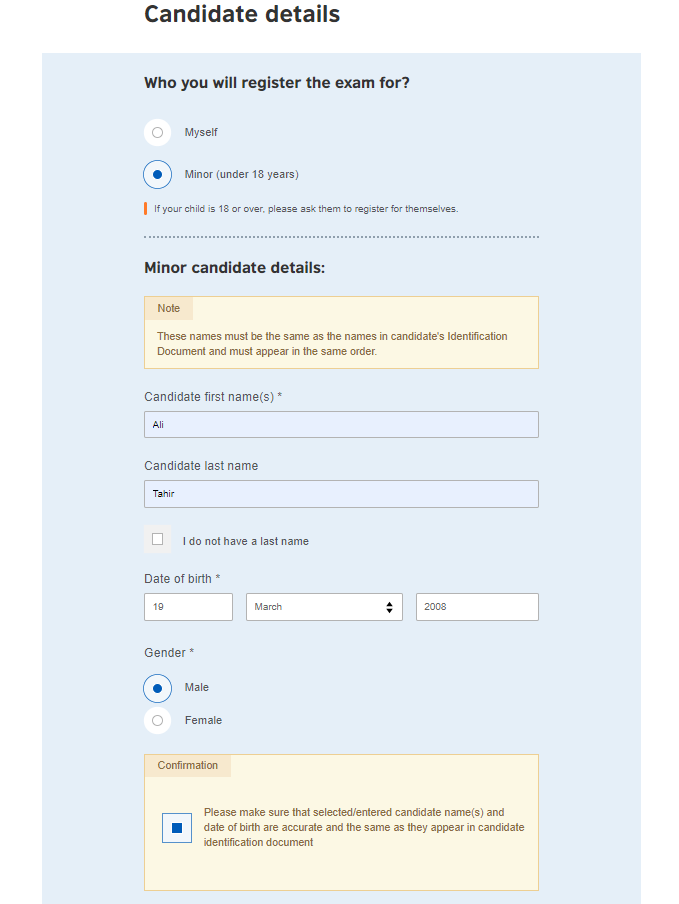
The next part of the minor registration is the contact info. Even if you live in the same house, this should be the primary address where you want the student's results mailed.
Child Protection & Contact Details
Because the student is under 18, the British Council needs to know who is responsible for them and how they will get home after the exam.
Step 12: Identity Verification
Now that your personal details are in, the system needs your official identification info.
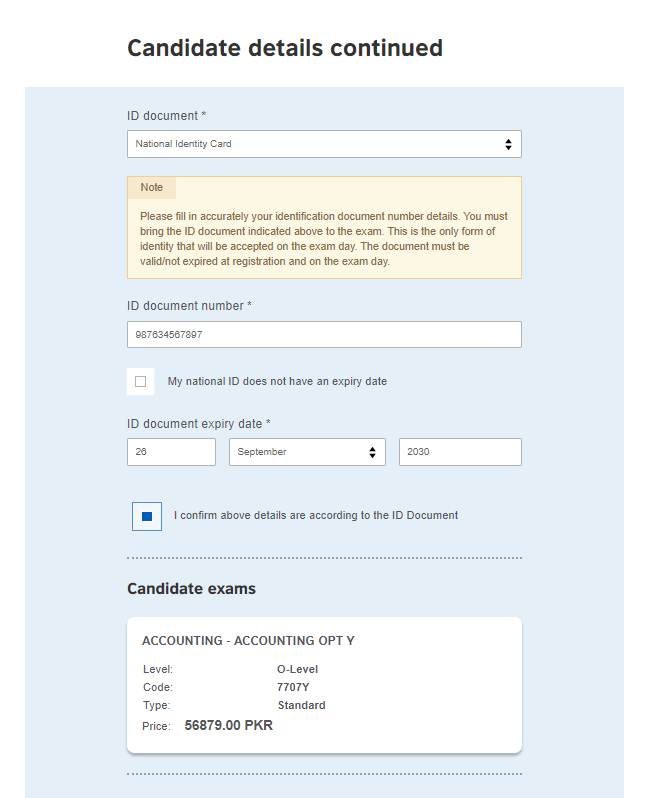
Select your ID type (CNIC, Passport, or B-Form) and enter the number carefully. If your CNIC has no expiry date, tick the checkbox provided. Tick the confirmation box to verify details match your physical ID.
Step 13: Terms and Conditions
Before you can officially submit your application, you have to agree to the British Council’s rules. You are confirming you selected the correct subjects, will bring the same ID to every exam, and understand the refund policy. Read, tick the box, and click Complete Registration.
Step 14: Choosing Your Payment Method
Choose your preferred method:
- Online Visa/Mastercard, confirmed instantly
- Offline Cash or bank transfer at Standard Chartered (SCB) or MCB. Use your unique 16-digit Virtual Account Number. Payment reflects in 2 to 3 working days.
Step 15: Registration Confirmation & Summary
Once you’ve selected your payment method and clicked continue, you will land on the Registration Summary page.
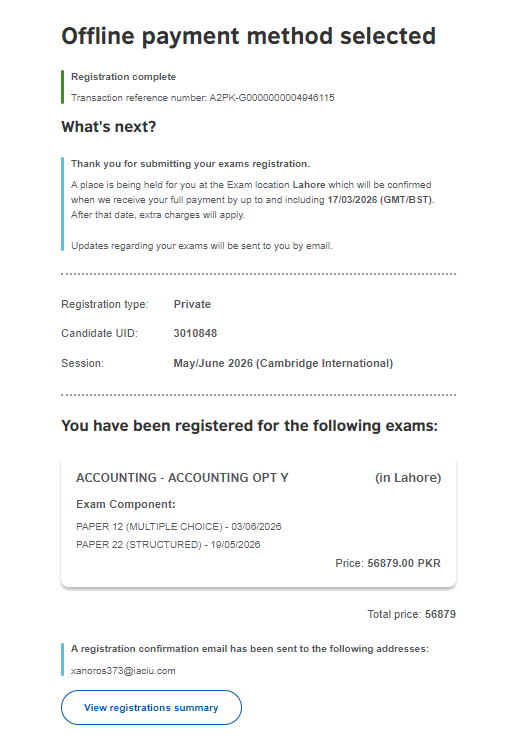
Download your Registration Summary PDF , it contains your subject list, session details, and Virtual Account Number. Note your PK reference number. Watch your email for payment confirmation and your Statement of Entry which arrives about 2 weeks before exams.
Step 16: The Offline Payment Email
If you selected the "Pay Another Way" (Offline) option, check your inbox immediately. The British Council will send you an email titled "Offline Payment Method." > Important: This email does NOT mean you are registered yet. It means your "seat" is being held temporarily.
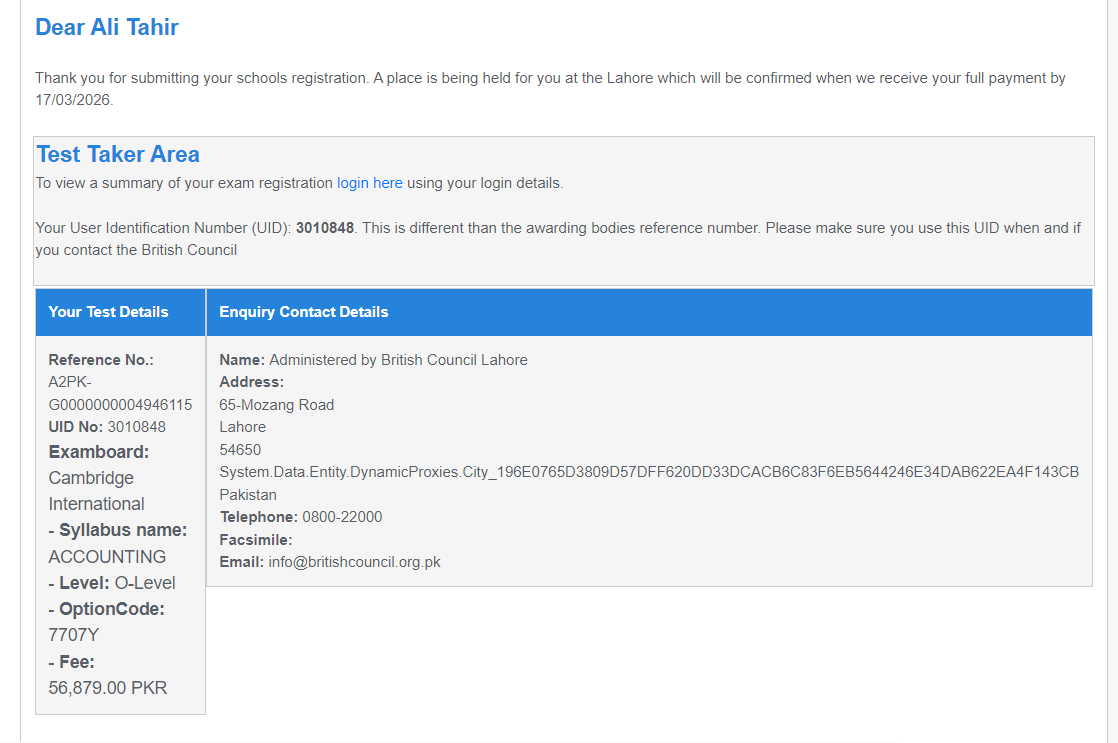
Key information inside this email
- The email will give you a specific date (usually 3 days from registration) by which you must pay.
- You’ll see a User Identification Number (UID).
- It will list all the exams you selected and the total fee in PKR.
- It will repeat your 16-digit Virtual Account Number and the instructions for IBFT or ATM transfers that we saw in Step 14.
Congratulations! You’ve successfully navigated the British Council registration process. It might feel like a lot of steps, but by following this guide, you’ve ensured that your details are correct and your seat is reserved.
Need Help?
If you run into any technical glitches or have questions about your specific subjects, you can always reach out to the British Council Pakistan directly:
- Email: info@britishcouncil.org.pk
- Helpline: 0800-22000
Good luck with your studies! You’ve done the hard work of signing up now it’s time to focus on aceing those exams.